
The goal of this project was to create an animated intro to any media such as shows, movies, etc, using Adobe After Effects. The intro must have at least 4 animated components, such as text and graphics, with a minimum runtime of 20 seconds.
Jonathan Fung - Video Editor, Audio Mixer
Adobe After Effects
First, I had to choose what type of media I wanted to create an intro to. At first, I considered making a parody
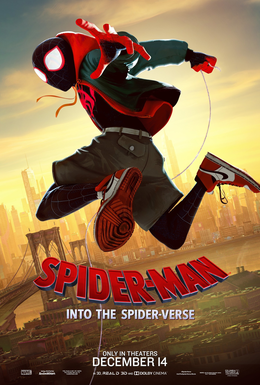
of the show "Bill Nye The Science Guy," but I decided to create an intro based off the Spider-Verse film series.
I had to come up with what the intro was going to look like. Originally I was going to create a background with various Spider-Man
comic panels and covers, but that took too long to create. I knew I wanted to include the scene in Spider-Man No Way Home,
where all three of the live-action Spider-Men, played by Tom Holland, Tobey Maguire, and Andrew Garfield land on the
statue of liberty.
I also included the trailer to the game, Spider-Man, created by Insomniac Games. Since the series
is about Miles Morales, I also included a shot from the first movie where he gets bitten by the spider. I also wanted to
include more Spider-Man media, such as the cartoons, but decided it would be too much work.
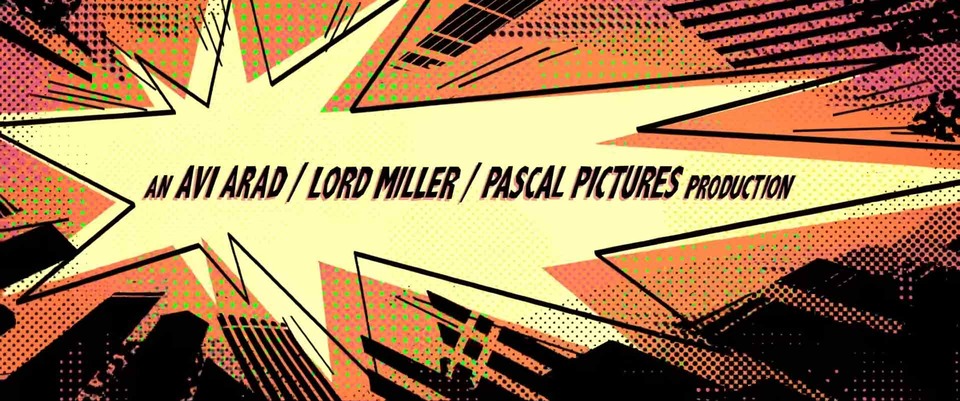
This is the original titlecard from the movie.
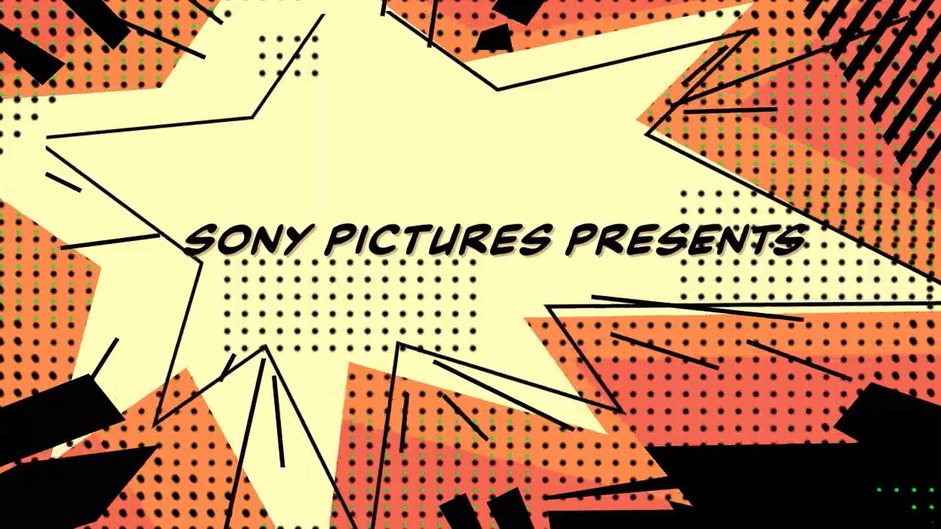
This is my recreation.
With the general idea of what to include in the intro, I had to get started with creating the animated graphics. In the beginning of the first Spider-Verse film, there is a comic book styled animated intro, which I wanted to replicate.
I had to create the Ben-Day dots seen on retro comics, as they were used to create effects and colors. Afterwards, I had to create the black shapes and animate them to move outwards, along with the text. The original is on the top while mine is on the bottom. Also, for the first few frames of each title card, it flashes a bunch of colors, which is a reference to the film, where characters would glitch if they were in the wrong dimension for too long.
The title card at the end was created by me using After Effects, no template was used. I had to create multiple layers of text to get the shading of the text to look like the offical logo. I then had to create the glitching effect, similar to the credits in the beginning. However, this time, I created various masks of different colors, and set them to activate at various times to emulate the glitching effect shown in the movies.
Overall, this project was very challenging yet fun to work on. I enjoyed trying to replicate the movie's retro styled title cards with the Ben-Day dots, animated shapes and text. Recreating the glitching effect from the film’s credits added a dynamic and authentic touch to the title card. By using Adobe After Effects to layer text and simulate the glitching effect, I successfully emulated the visual style of the movie while developing my skills in animation and effects.